This guide outlines the steps users should follow to access the course in Chinese within the Better Compliance platform. Additional subtitles in other languages are also offered for selected courses.
Steps for Accessing the Course in Chinese:
1. Log In
Go to Better Compliance and log in with your Single Sign-On (SSO) and Two-factor authentication (2FA)credentials. You can access the system once you’ve registered for SSO.
If you haven’t completed this yet, please follow the steps in our SSO Registration Guide :
How to Register for SSO and Log In

2. Access Training Tracker
Once logged in, select Training Tracker from the Portals menu.

3. Go to the "Courses" button in your menu on the Home page.

4. Locate your assigned Courses.

The Following Courses are available in Chinese:
Allergen Awareness & Management
Induction – Level 1 Health and Food Safety
Food Hygiene Training - Level 2 Equivalent
***If the specific course has not been assigned to you, please ask your manager to contact
Better Compliance so it can be added to your profile.
5. Open the Course Menu
Click the hamburger menu (three horizontal lines) next to the course title.

6. Select “Take Course”
From the menu options, select Take Course. The course will then open on your screen.

7. Change Language Setting
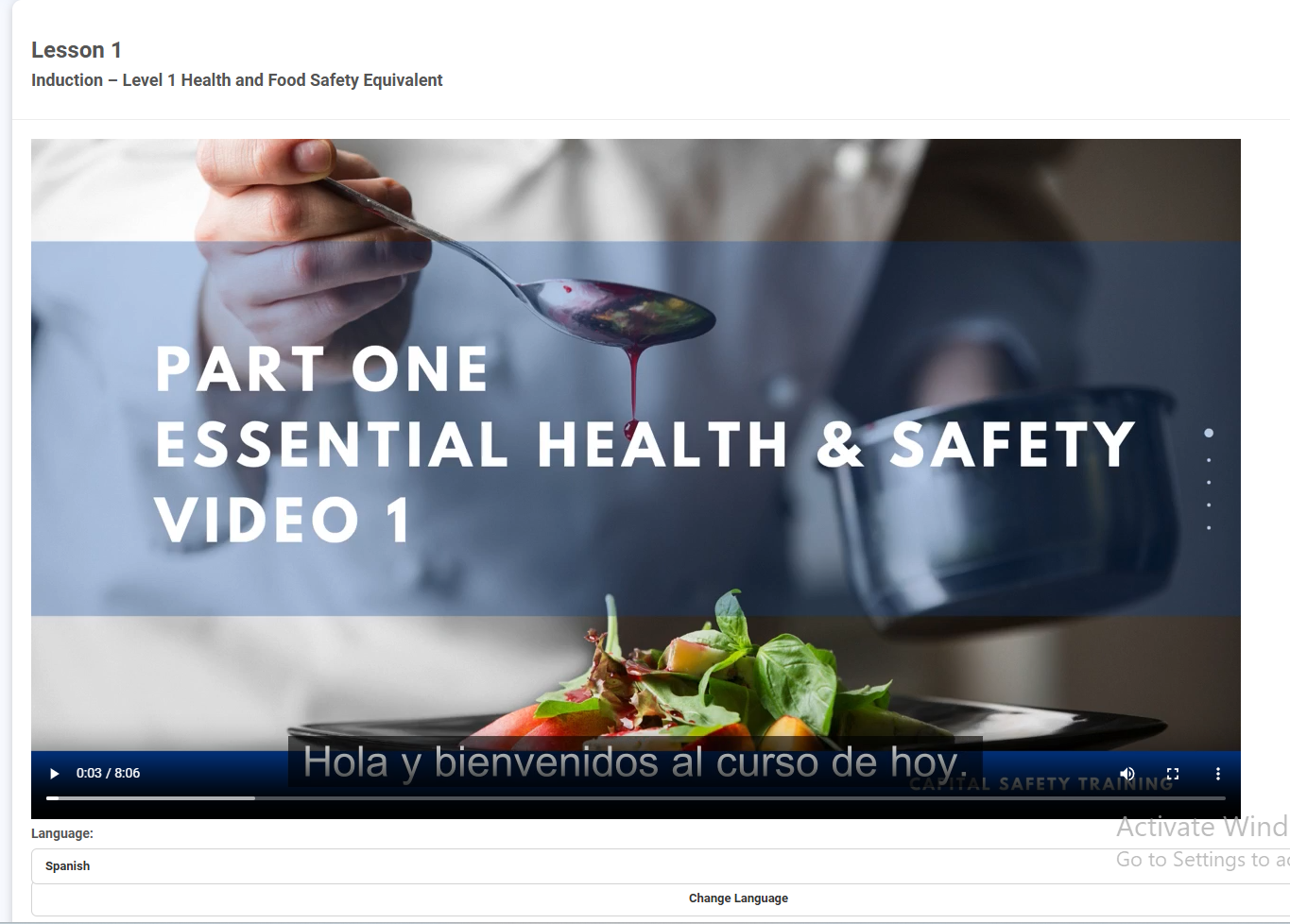
Below the lesson, you'll find a Language selection dropdown.
Select Chinese, then click Change Language.

The course content will now appear in Chinese, and the audio will also play in the selected language.
Steps for Accessing a Subtitles in other languages:
1. Change the Language Setting
Below the lesson, you'll find a Language selection dropdown.
Select your preferred language and click "Change Language". The course audio will remain in English, and subtitles will appear in the language you selected.
Current subtitle languages available are:
- Chinese
- Greek
- Italian
- Polish
- Portuguese
- Romanian
- Spanish
Was this article helpful?
That’s Great!
Thank you for your feedback
Sorry! We couldn't be helpful
Thank you for your feedback
Feedback sent
We appreciate your effort and will try to fix the article